
In the Tasks section of the Crimson app you can manage all your tasks by creating, editing, deleting and viewing them. You can have tasks that are related or unrelated to a mission in your roadmap.
How do I create a task?
When you don't have any tasks, your screen will look like this:
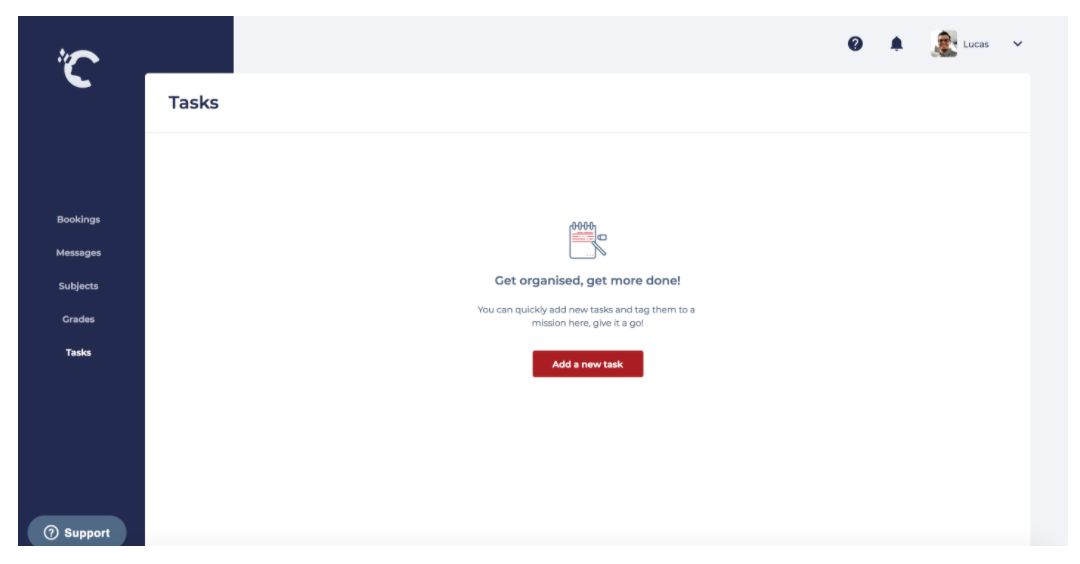
Once you hit the button 'Add new task', you will be able to set the name of the task and a due date.
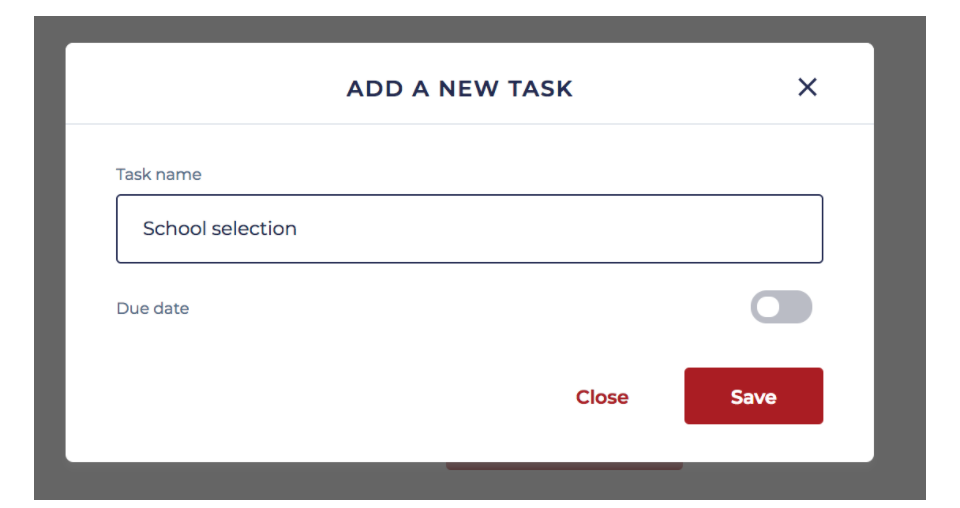
Note: A due date is optional
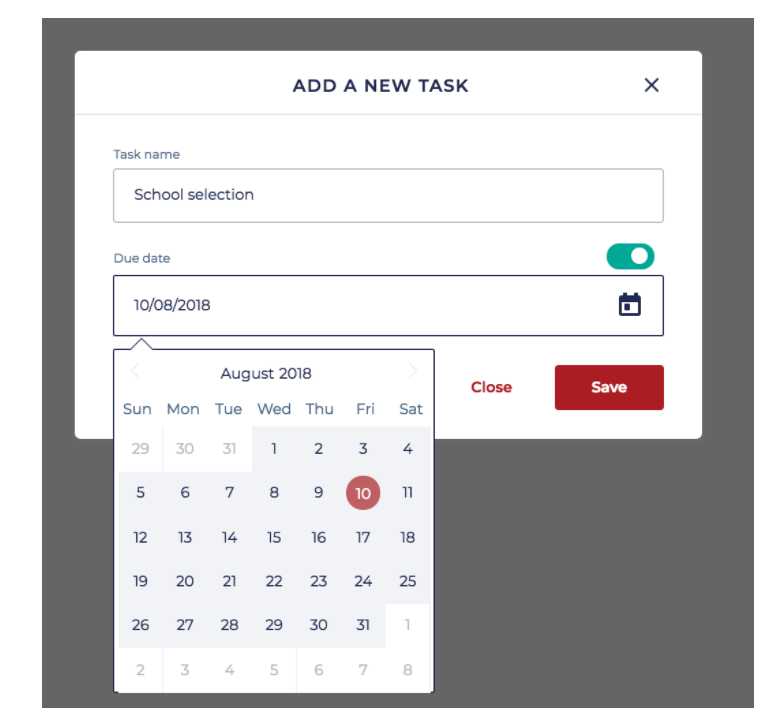
And you're all set!
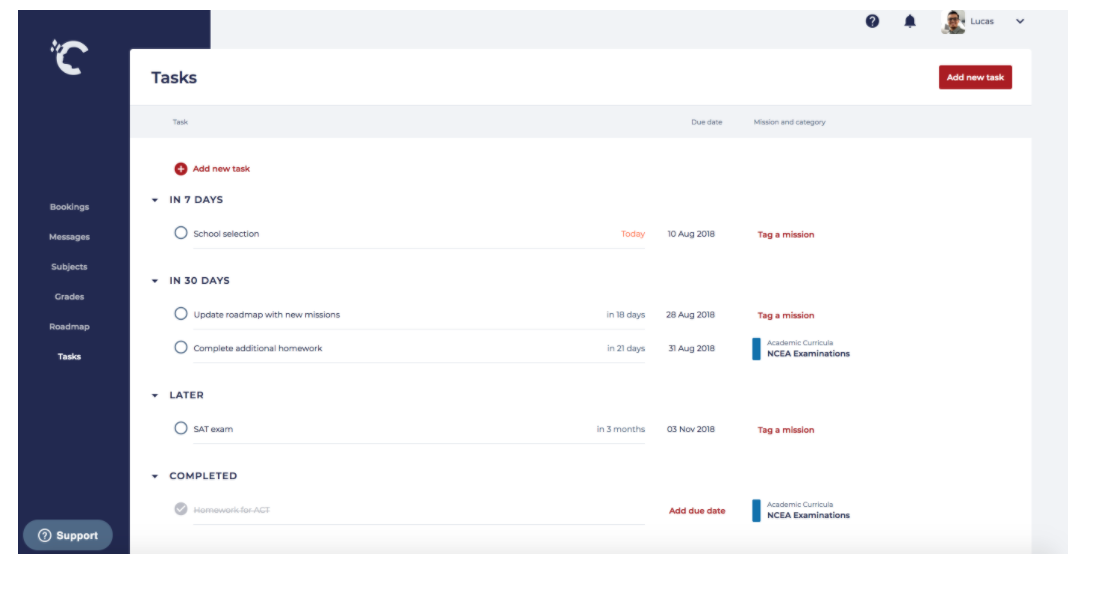
Once the task is created, the screen will give you a comprehensive view of all your tasks separated by time slots:
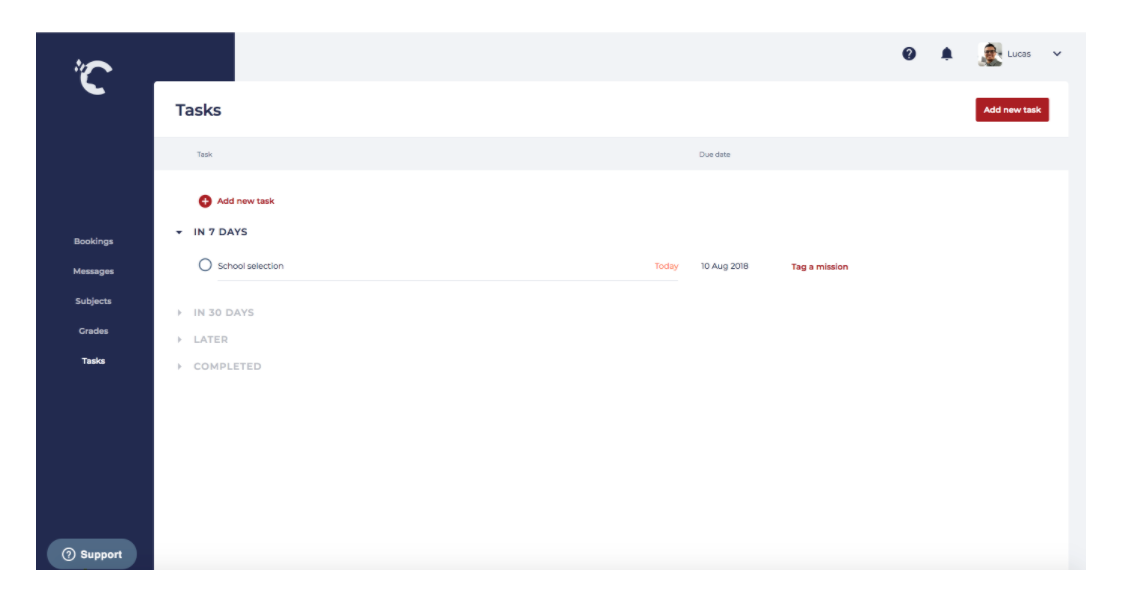
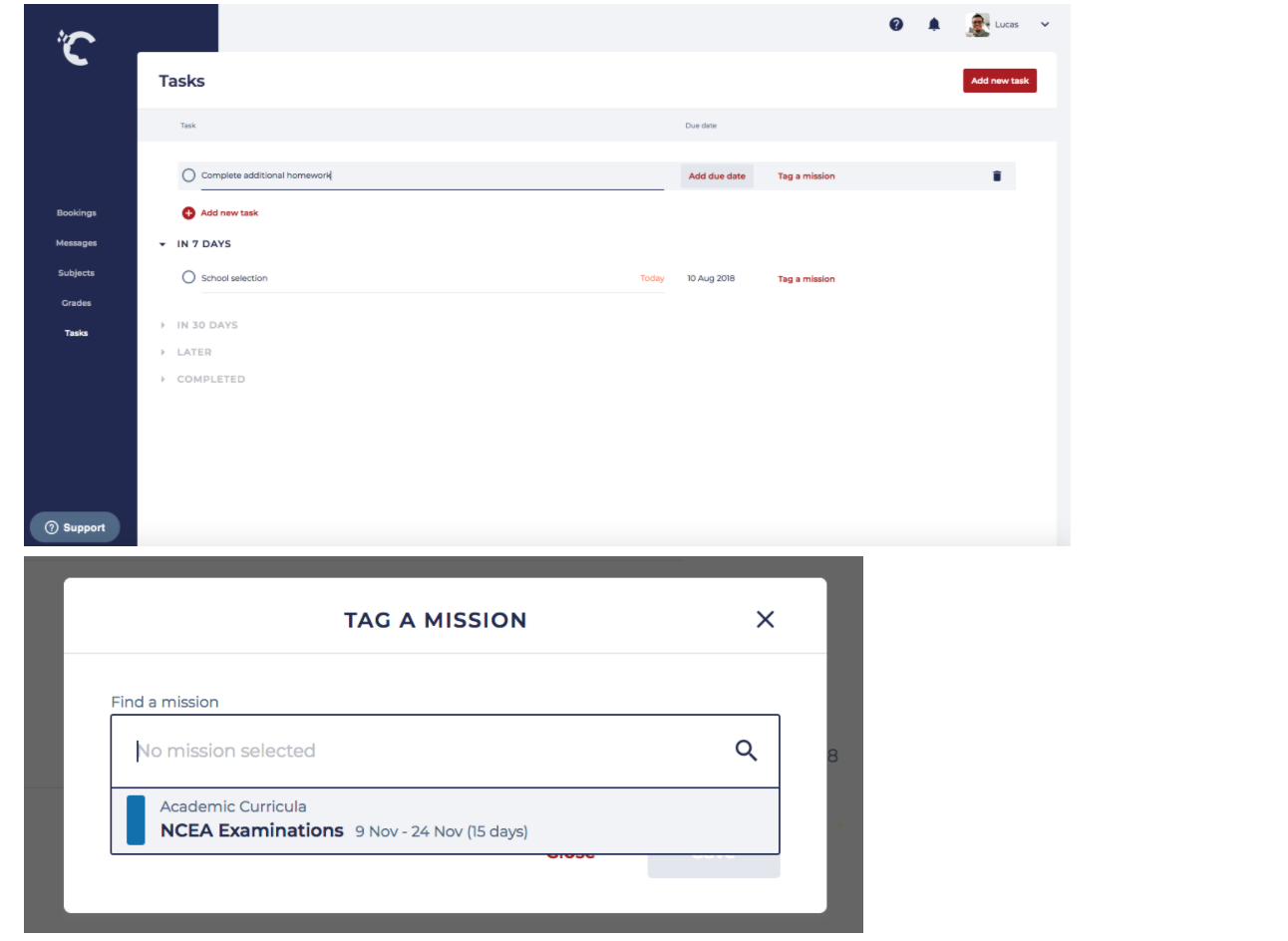
Another way to create a task is to hit the button 'Add new task' displayed right below the tasks that have no due date.
Then you'll be able to name the task, select a due date and tag a mission:
Tasks & Roadmaps
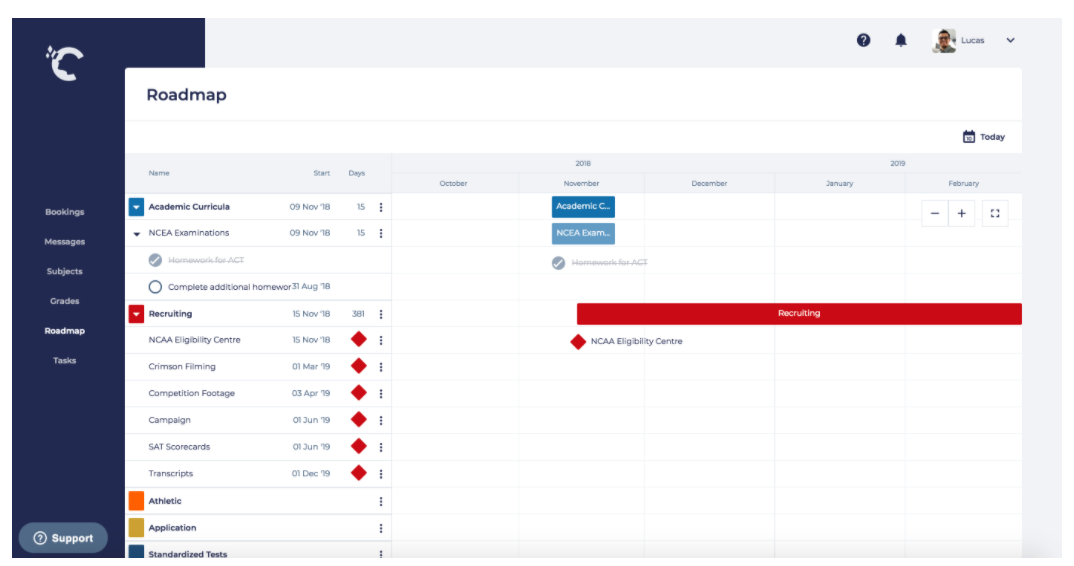
If a task has been tagged a mission, it becomes visible on your roadmap screen:
Comments
0 comments